InstaMAT Studio came with Unity HDRP Output Template, but no URP.
These are the settings I used for Unity URP and Blender.
(Intentionally left Height out to rely solely on normal map)
Random notes
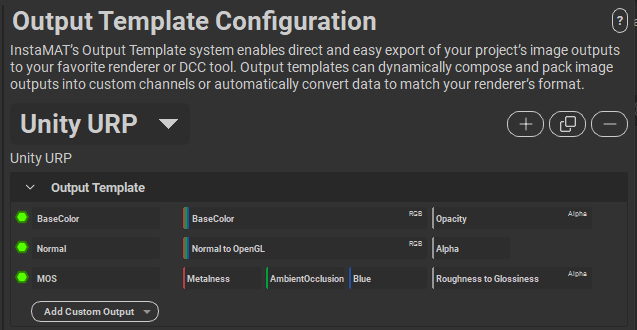
InstaMAT Studio came with Unity HDRP Output Template, but no URP.
These are the settings I used for Unity URP and Blender.
(Intentionally left Height out to rely solely on normal map)
The problem:
You added a new layer. Created a 3D object with mesh renderer.
Assigned the game object with the new layer -> Not rendering, only casting shadows.
You checked the game object’s Lighting -> Cast Shadows is not on “Shadows Only”
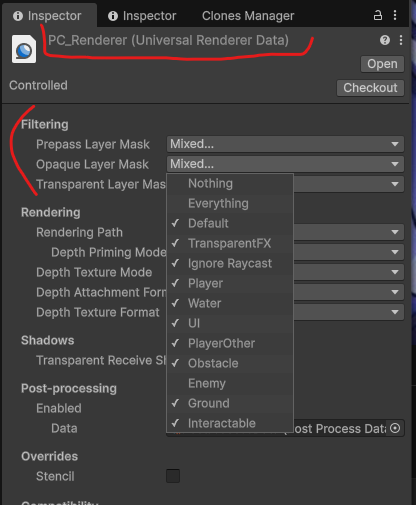
You panick. Might want to cheeck URP’s renderer settings.
1. Search for PC_Renderer in /Assets/Settings
2. Review the Filtering layers
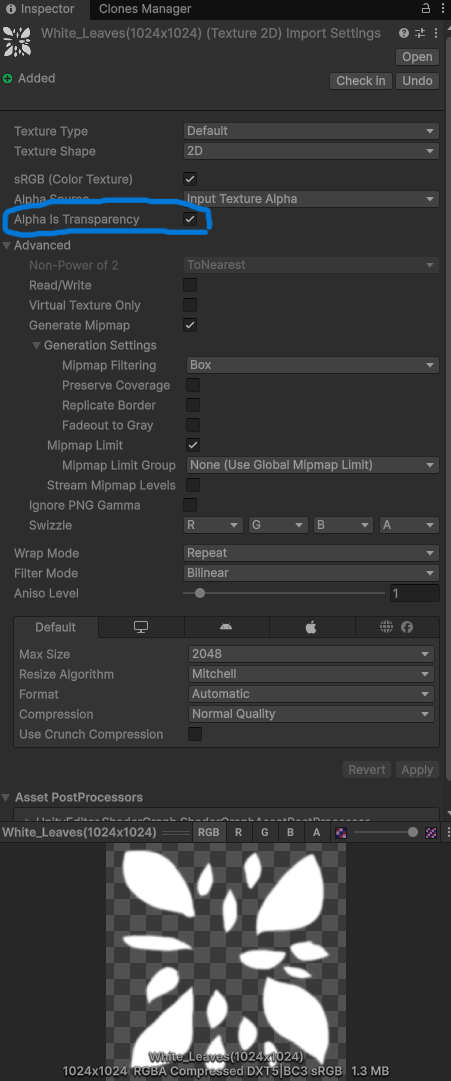
When using textures with transparent background such as tree leaves, and bushes these are the starting point settings.
1. Import transparent texture
2. Go to Inspector for imported texture
3. Enable Alpha Is Tranceparency (shown on screenshot)
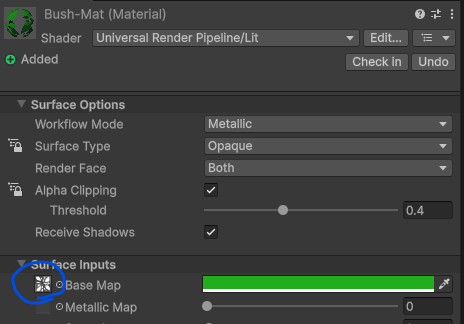
4. Now create the material for your texture/model
5. Go to Inspector for material
6. Drag texture into Material’s Surface Inputs -> Base Map slot
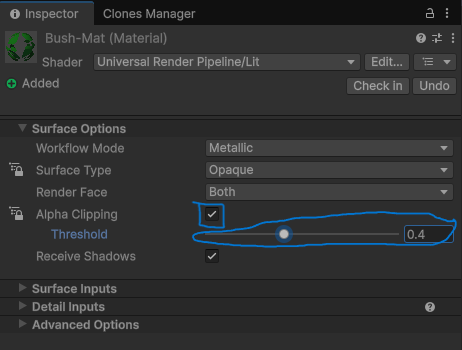
7. Alpha clipping (enable)
8. Play with Threshold slider that works for you