Prerequisite:
– Clothing must be a separate mesh
– Body must be done with weight paint
1. Select Clothing, then the Rig while holding SHIFT to multi-select.
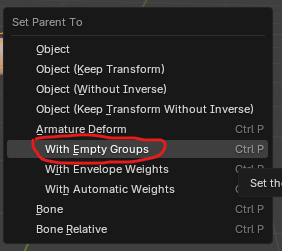
2. CTRL + P -> With empty groups
3. Deselect selection (ALT + A)
4. Select Body (weight painted mesh) then the Clothing with SHIFT again.
5. Switch to weight paint mode (CTRL+TAB for shortcut)
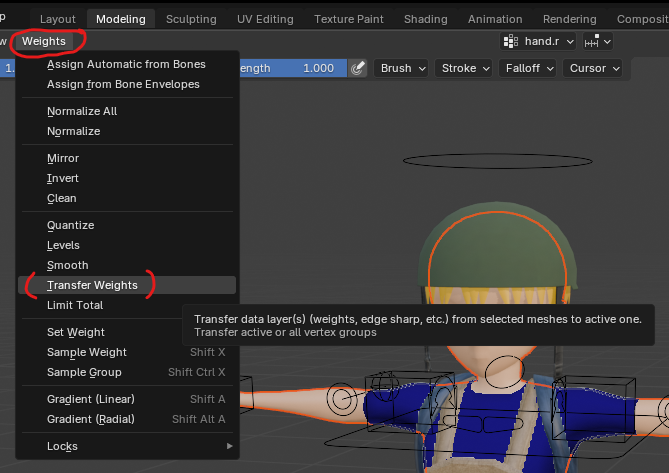
6. Select the Weight menu on top and select Transfer Weights (screenshot#2)
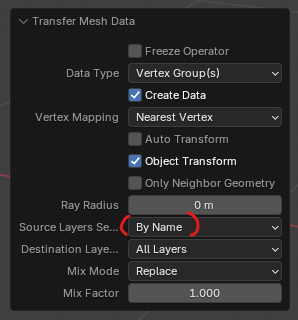
7. Open the Transfer Mesh Data on the left bottom
8. Change the Source Layer to “By Name” (screenshot#3)
9. Done. Go back to object mode and test pose mode.