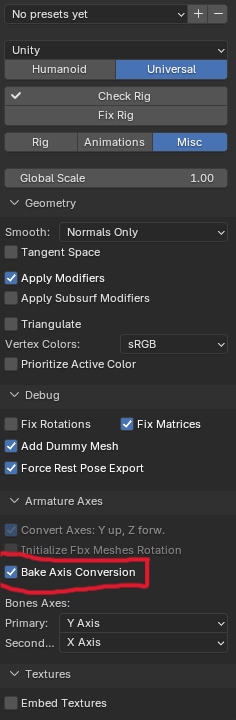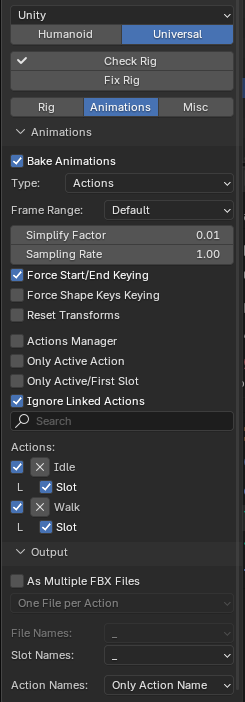
- Make sure “Unity” preset is selected (above Humanoid/Universal selection)
- Export animation type: Actions, and all settings must exactly match the 2nd screenshot.
- 1st screenshot -> Bake Axis Conversaion required, but you still need to set the same inside Unity’s Inspector for the FBX settings.