When using textures with transparent background such as tree leaves, and bushes these are the starting point settings.
1. Import transparent texture
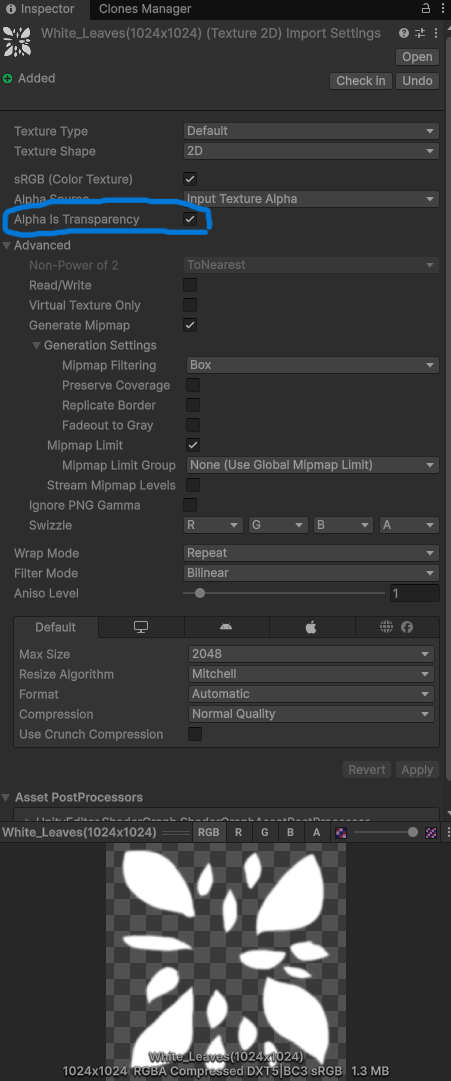
2. Go to Inspector for imported texture
3. Enable Alpha Is Tranceparency (shown on screenshot)
4. Now create the material for your texture/model
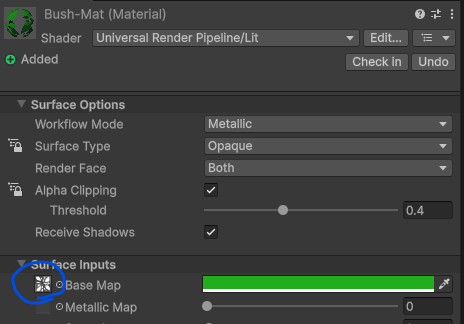
5. Go to Inspector for material
6. Drag texture into Material’s Surface Inputs -> Base Map slot
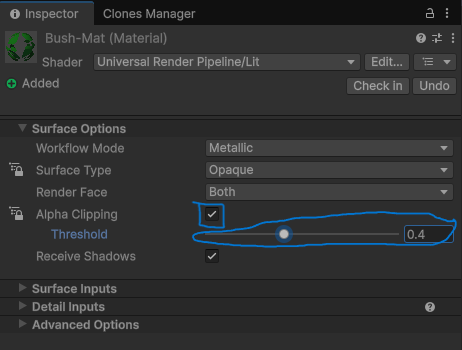
7. Alpha clipping (enable)
8. Play with Threshold slider that works for you