To permanently remove old Actions or any old artifacts from your Blender project simply.
1. Go to Hierarchy
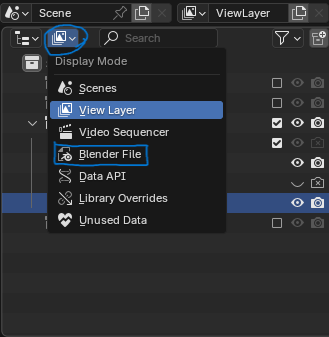
2. Click the Display Mode
3. Choose Blender File
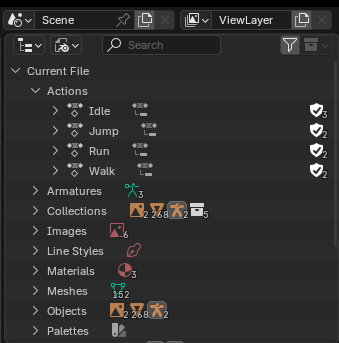
4. Browse the file you want to remove and delete.
Random notes
To permanently remove old Actions or any old artifacts from your Blender project simply.
1. Go to Hierarchy
2. Click the Display Mode
3. Choose Blender File
4. Browse the file you want to remove and delete.